
Edit Page Text Content
1.Look at the left side menu and click on “Pages”
2. Choose the page you want to edit then click on “Edit”.
3. Double click on the text block, then you would be able to change any content.
4. Click on “Save” when done editing.
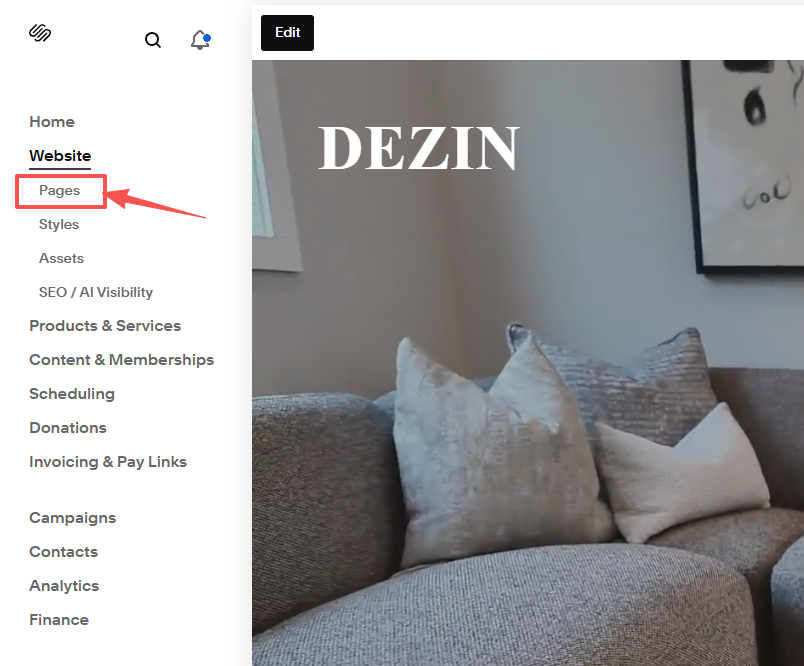
1.Look at the left side menu and click on “Pages”
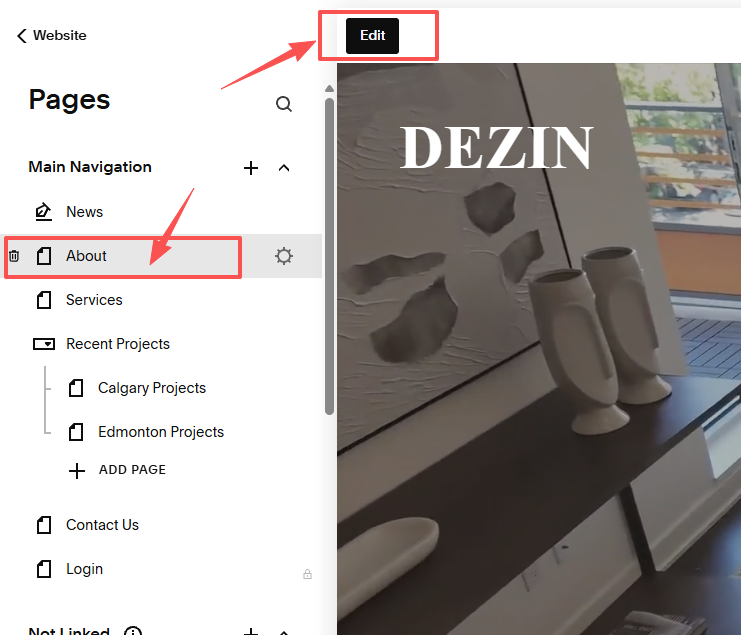
2. Choose the page you want to edit then click on “Edit”.

3. Double click on the text block, then you would be able to change any content.

4. Click on “Save” when done editing.