
Change Login Password
1.Click on “Pages” on the left side menu.
2. Choose “Login” page and click on the “gear” icon.
3. Click on the “X” button to delete the current password, then type a new one.
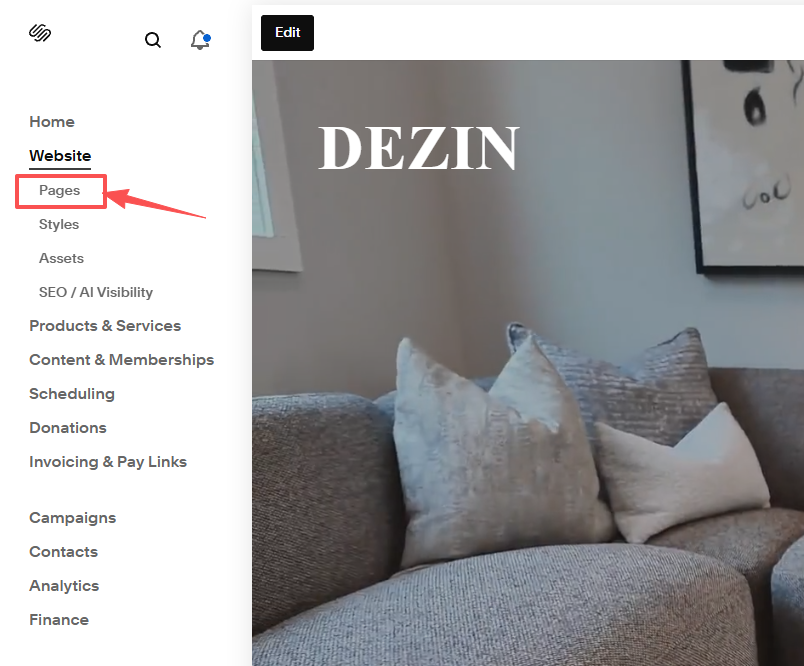
1.Click on “Pages” on the left side menu.
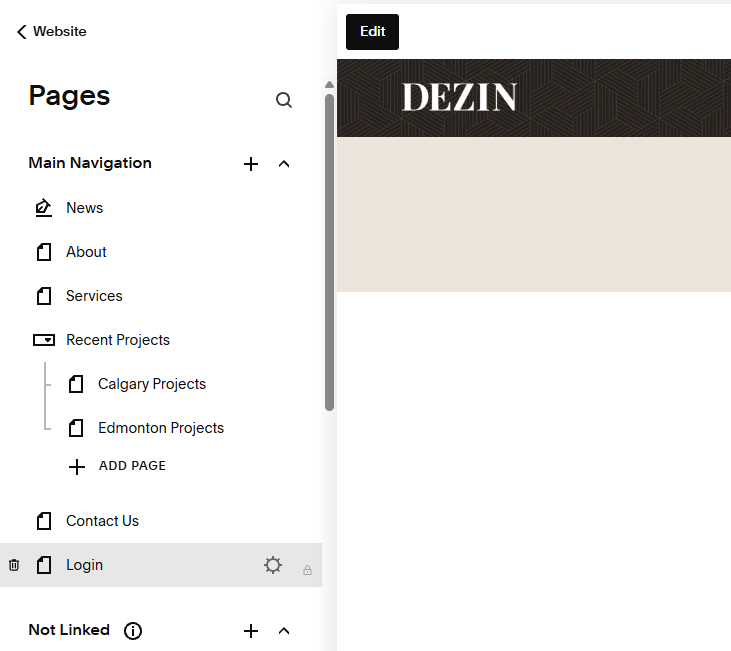
2. Choose “Login” page and click on the “gear” icon.
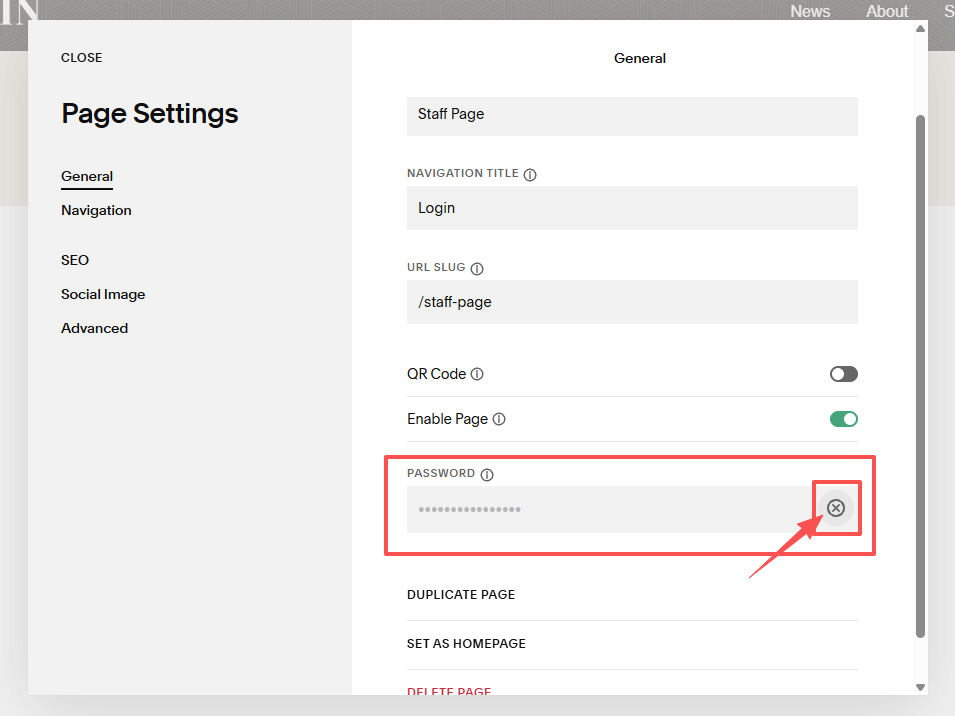
3. Click on the “X” button to delete the current password, then type a new one.