
Delete Project Photo
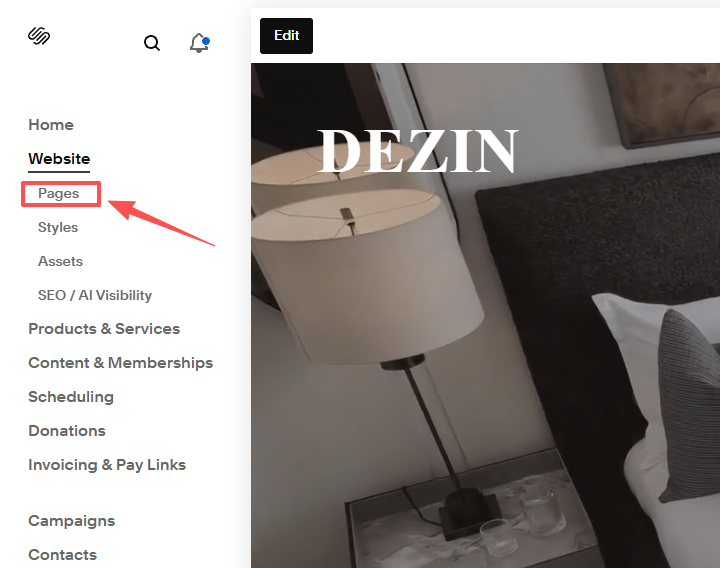
1.Look at the left side menu and click on “Page”.
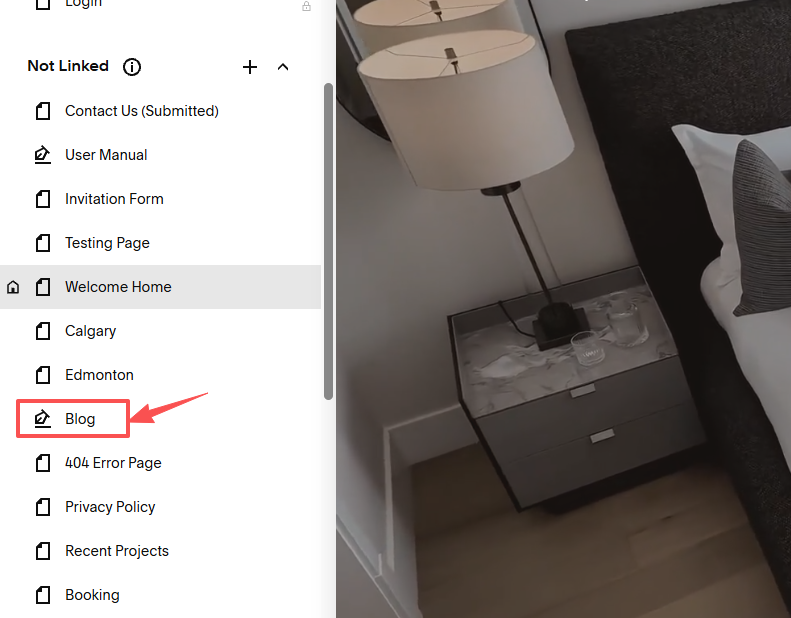
2. Scholl down to “Not Linked” subsection, click on “Blog”
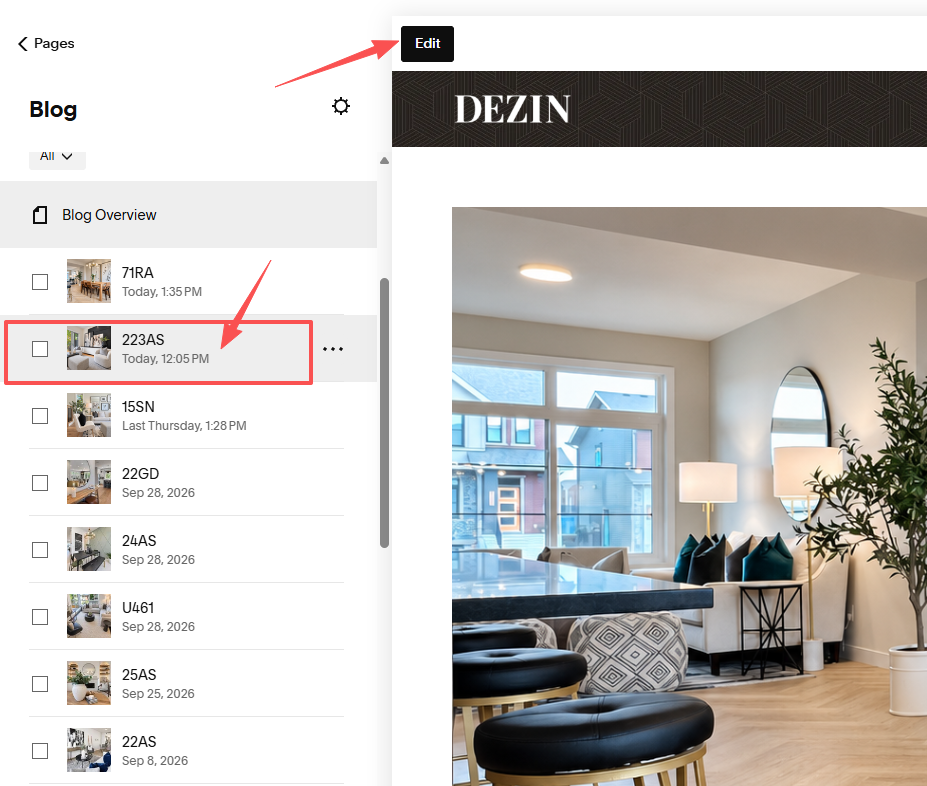
3. Choose the one you want to edit, then click on “Edit”
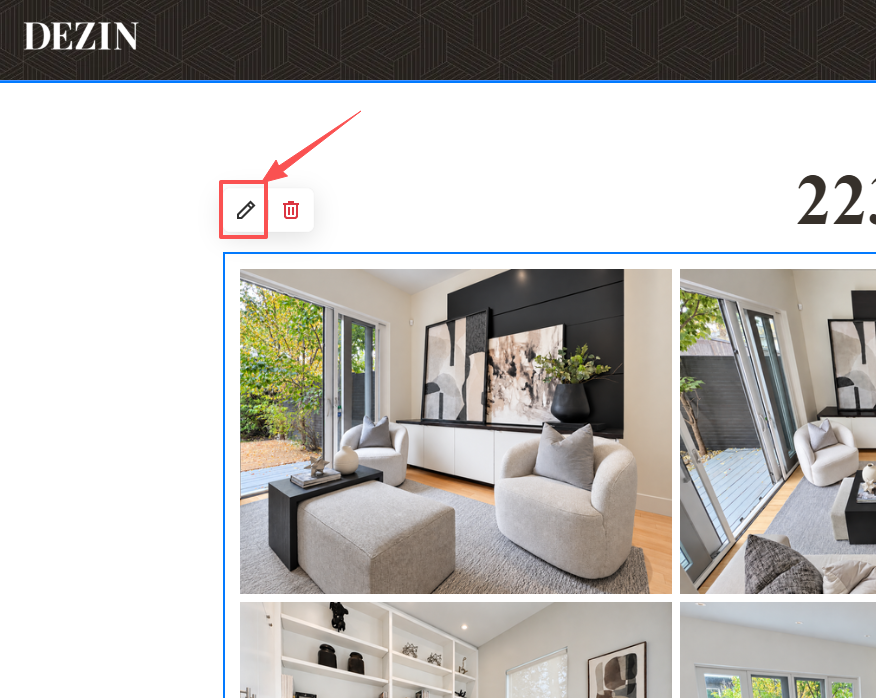
4. Click on the photo block and click on the pen icon at the top left conner to edit.
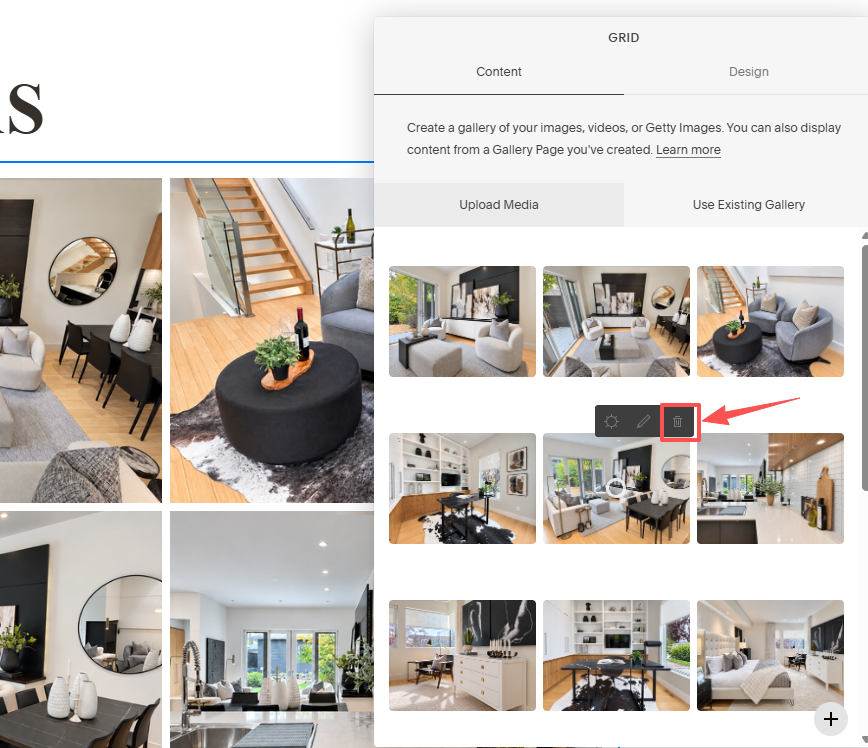
5. Hover over the image and click on the delete icon.
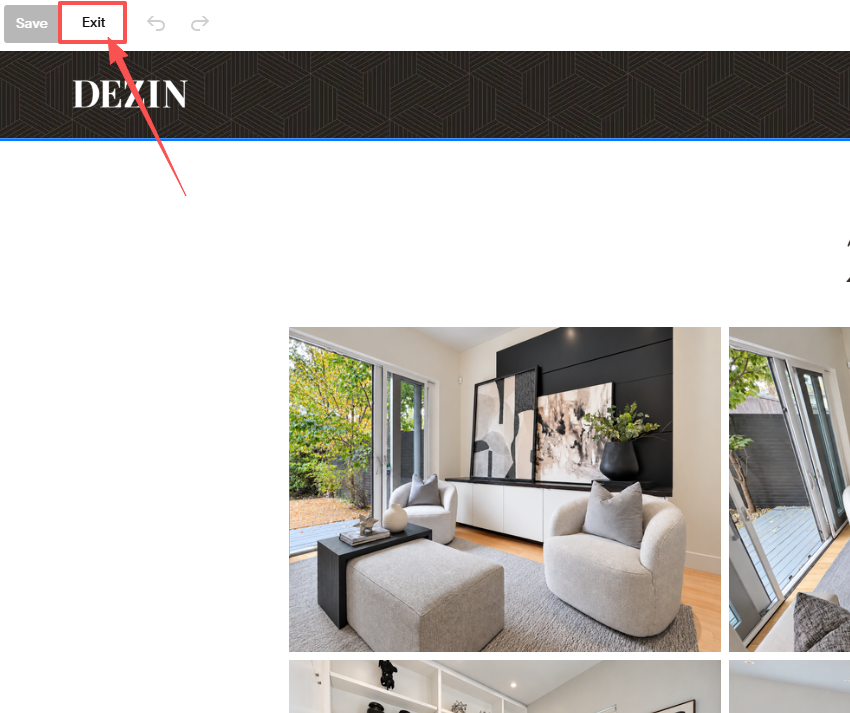
6. When done, just click on the “Exit”, you don’t need to click on “Save”.